Launch offer — valid today only

The Easiest Way to Get Ready for Making Tax Digital for Income Tax With Every Rule Drawn Step by Step!

Whether you're in, when you start, what to record and when each update is due. On GOV.UK it's a wall of text. Here each topic fits on one page, with the drawing and what to remember. Checked against HMRC guidance in November 2026. 65 drawn pages.

SHOW ME THE DRAWN GUIDE

🔒 Secure checkout · PDF by email · 30-day guarantee

One topic per pagethe drawing shows you the rule and the text goes with it
65 drawn pages11 parts, from who's in to the year-end checklists
Up-to-date sourcesHMRC's Making Tax Digital for Income Tax guidance on GOV.UK, checked November 2026

This Is What the Pages You Will Study Look Like

One topic per page, the drawing that shows you how it works and the boxes with what you need to know:

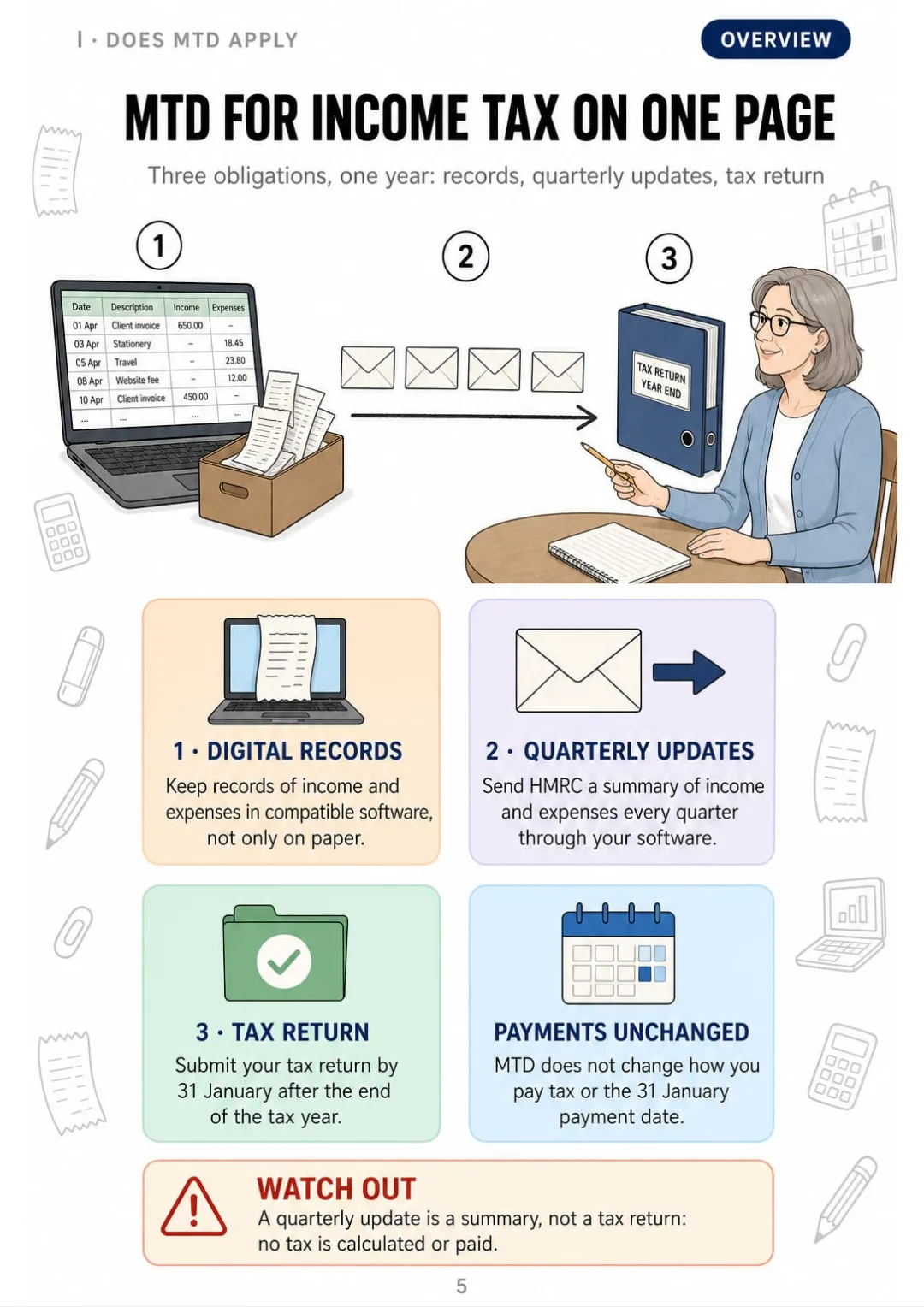
Records, four quarterly summaries, then the return by 31 January: no tax paid each quarter.
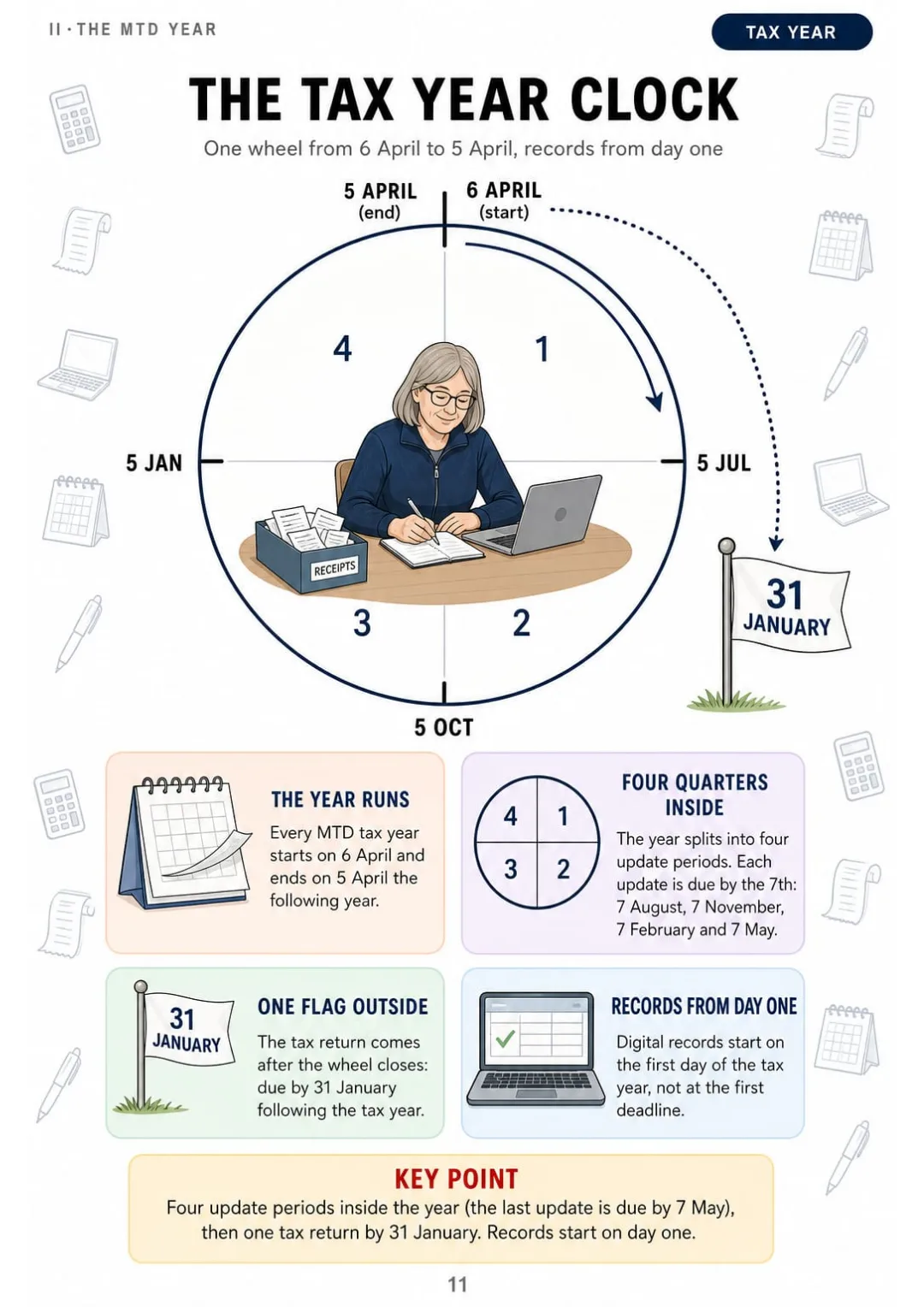
6 April to 5 April: four updates on the wheel, the return by 31 January after it.
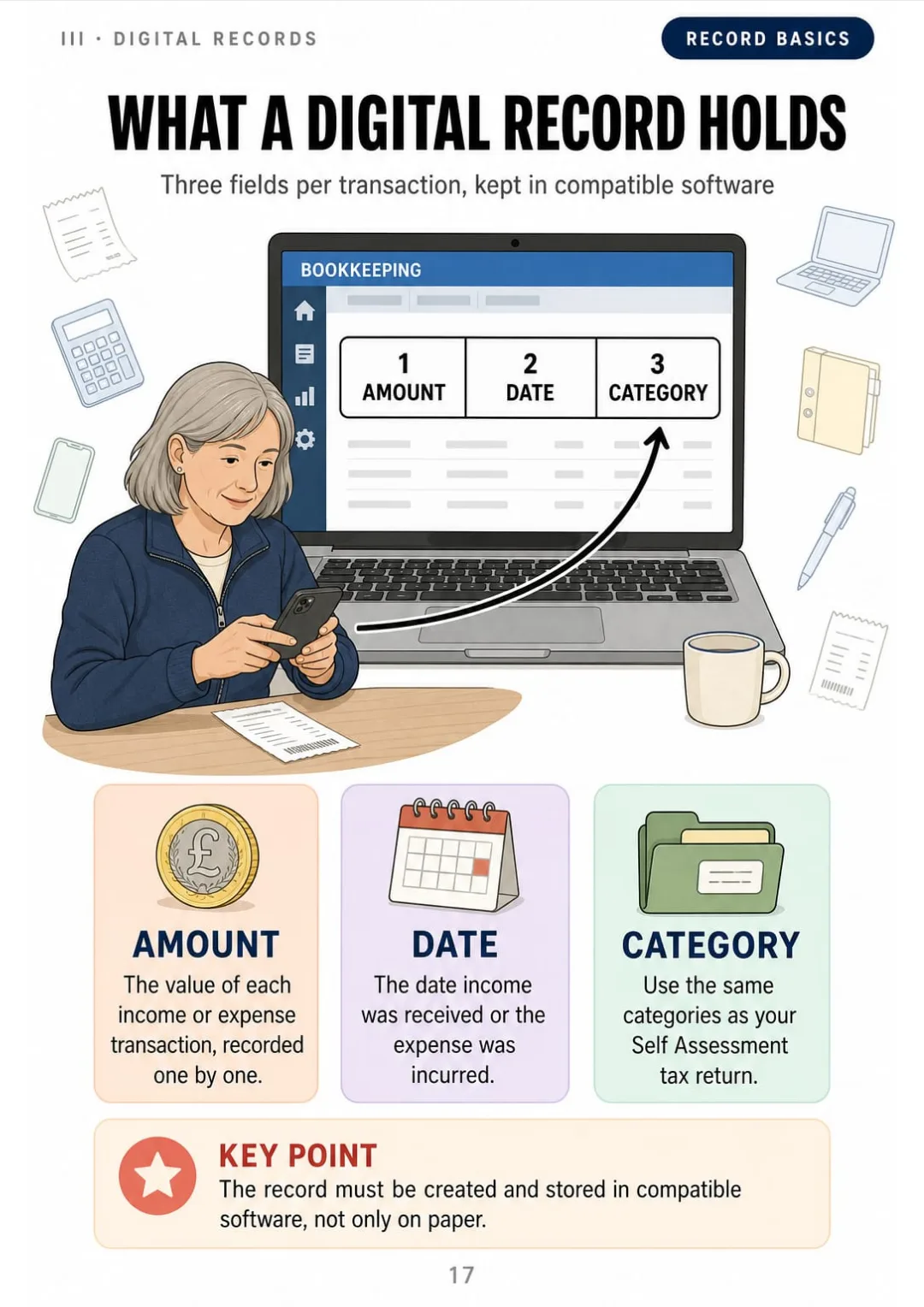
Amount, date, category: the three fields of every MTD digital record
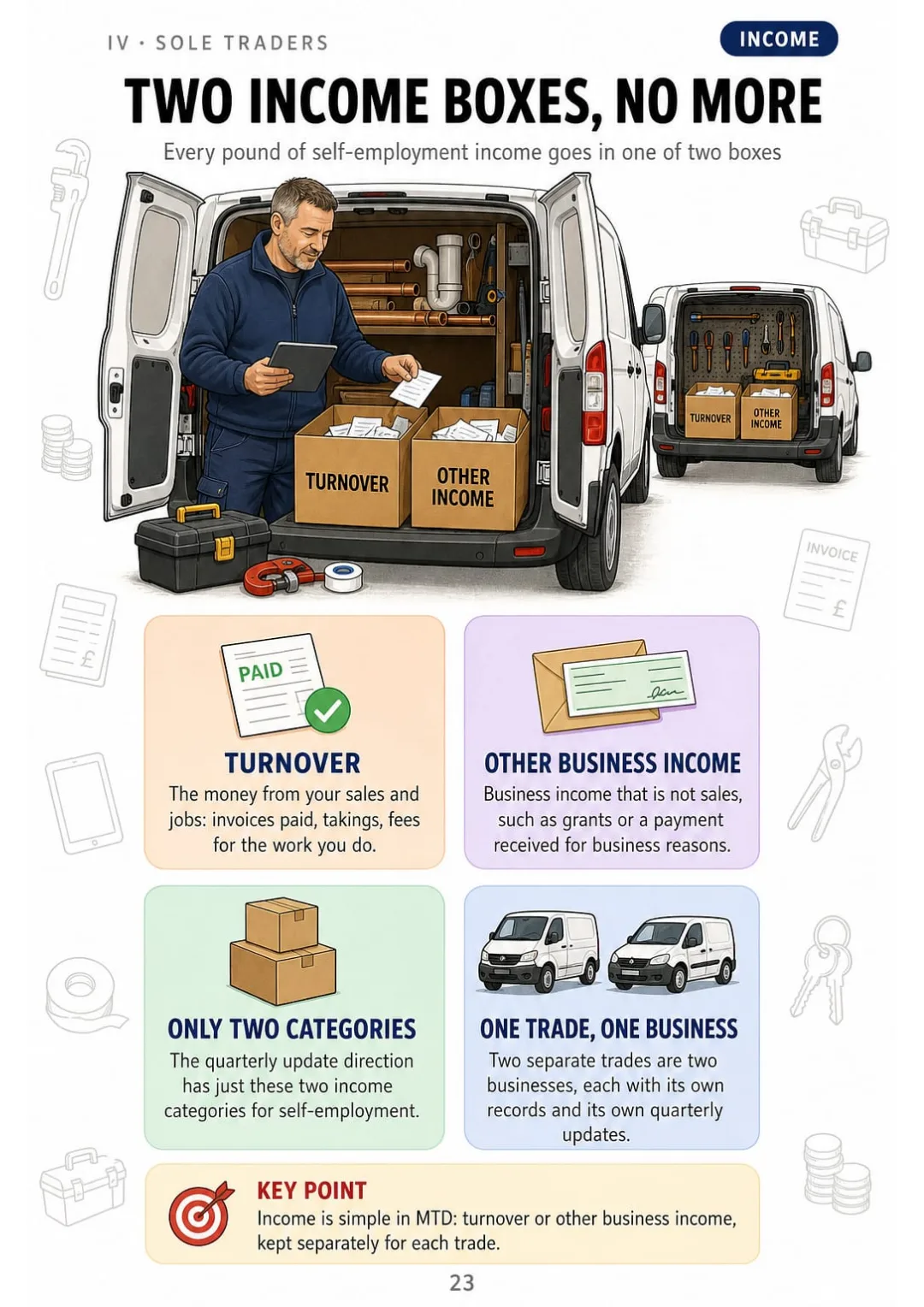
Self-employment income in MTD: only Turnover and Other business income, per trade.
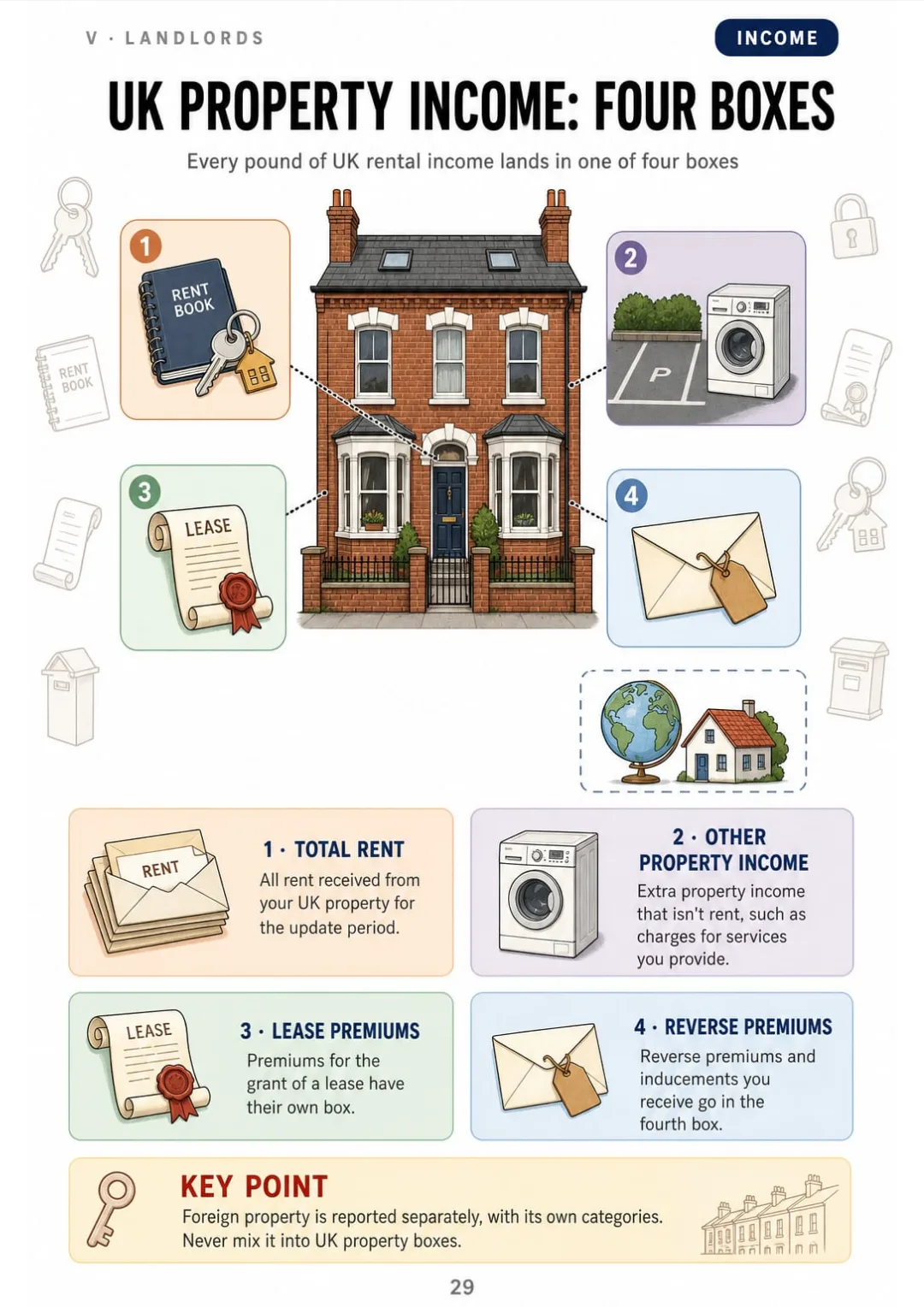
Four UK property income boxes: rent, other income, lease premiums, reverse premiums.
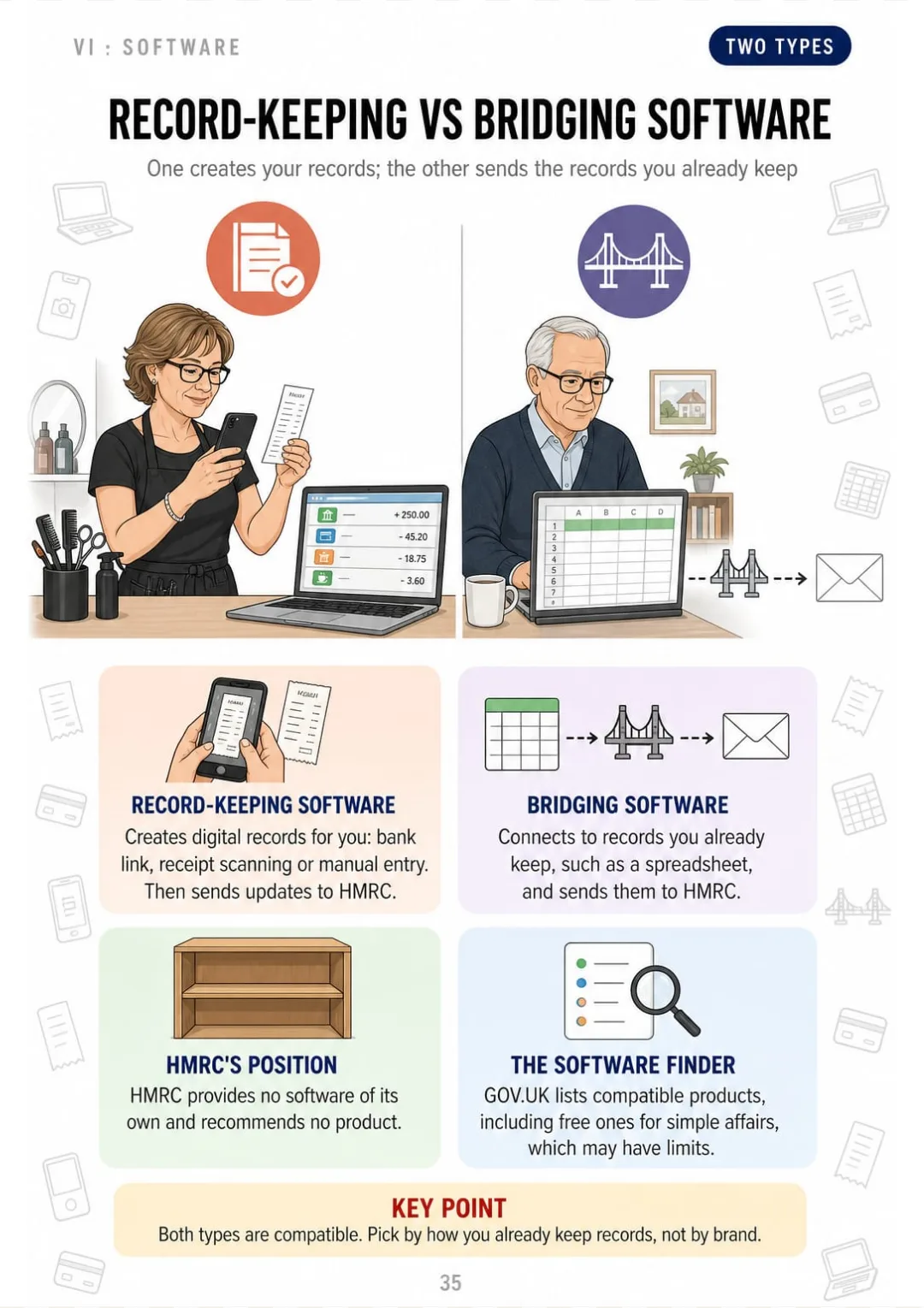
Record-keeping software creates records; bridging software sends the spreadsheet you already keep
Start date, trade details, income sources, sign-in and photo ID: gather them first.
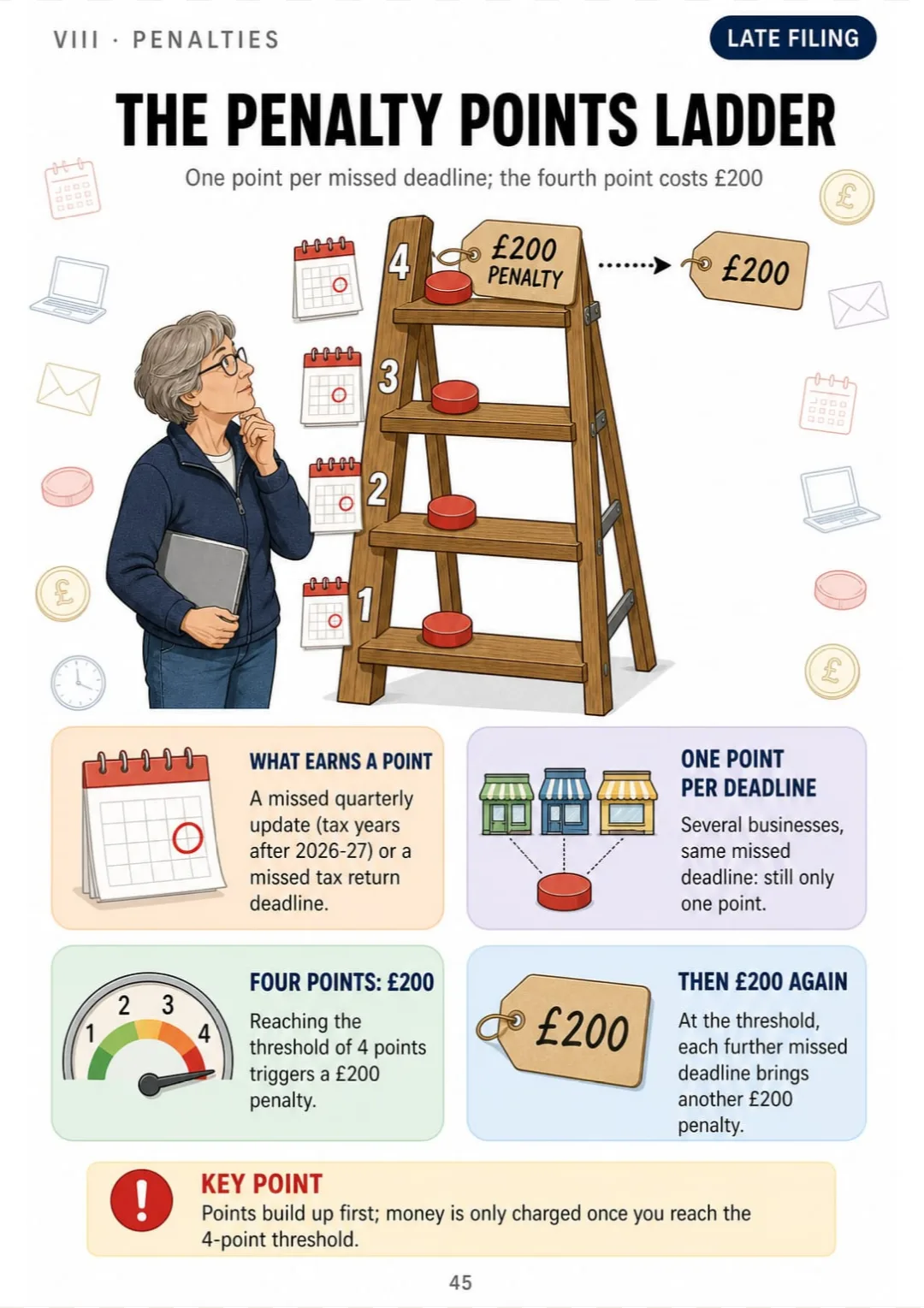
1 missed deadline = 1 point · 4 points = £200 · each further miss = another £200

Swipe to see more →

These are real pages from the book. The table of contents is the full one: 11 parts and 61 topics.

It's That Nobody Laid It Out in Order.

You've read the GOV.UK page on digital records three times. You close the tab...

...and you still don't know what each record actually has to hold. It was just lines of text.

Amount, date, category: the three fields of every MTD digital record

Here a digital record is one page: a single receipt drawn with three boxes beside it, the amount, the date and the category.

And on the pages next to it every rule has its own: digital links, the five-year rule, correcting mistakes in the next update, daily gross takings and the deadline for each update.

First you see why it's done that way. Then the three fields stay with you on their own.

SEE THE DIFFERENCE

Stop memorising deadlines you can't picture:

THIS
  • Pages and pages of dense text
  • Deadlines without a single drawing
  • When an update is due, you don't know where to start
For the purposes of Making Tax Digital for Income Tax, the tax year runs from 6 April to 5 April of the following year. Under the standard update periods, the periods end on 5 July, 5 October, 5 January and 5 April, and each quarterly update, which is cumulative from the start of the tax year, must be submitted by the seventh day of the month following the end of the period. Where calendar update periods are elected, the periods end on the last day of the month. The final return remains due by 31 January following the end of the tax year.
FOR THIS
  • The year as one wheel: 6 April to 5 April
  • Four flags on the 7th, one red flag on 31 January
  • You remember it because you've seen it
6 April to 5 April: four updates on the wheel, the return by 31 January after it.
CONTENTS

Take a Look at the 11 Parts and 61 Topics

Who's in, the MTD year, digital records, sole trader income and expenses, property income, software and bridging, signing up, penalties, exemptions, worked cases and checklists: 65 pages, all drawn

IDoes MTD Apply to You? · pp. 5-10
  1. MTD for Income Tax on One Page
  2. Who Is In: Sole Traders and Landlords
  3. Qualifying Income: What Counts, What Doesn't
  4. The Threshold Staircase: £50k, £30k, £20k
  5. Which Tax Return Puts You In
  6. How to Use This Sketchbook
IIThe MTD Year Drawn Out · pp. 11-16
  1. The Tax Year Clock: 6 April to 5 April
  2. Four Cumulative Quarterly Updates
  3. Standard vs Calendar Update Periods
  4. The Seventh-of-the-Month Deadlines
  5. From Fourth Update to Tax Return
  6. Your First MTD Year: The 2026-27 Timetable
IIIDigital Records · pp. 17-22
  1. What a Digital Record Must Hold
  2. Recording Before Each Deadline
  3. Digital Links: Allowed and Not Allowed
  4. Keep the Paperwork Too: The Five-Year Rule
  5. Correcting Mistakes in the Next Update
  6. Retailers: Daily Gross Takings
IVSole Traders: Income and Expenses · pp. 23-28
  1. Turnover and Other Business Income
  2. The Thirteen Expense Categories
  3. Simpler Categorisation Under £90,000
  4. Mixed-Use and Disallowable Expenses
  5. Trading Allowance: The £1,000 Choice
  6. Cash Basis Default vs Traditional Accounting
VLandlords and Property Income · pp. 29-34
  1. UK Property Income Categories
  2. UK Property Expense Categories
  3. Residential Finance Costs Kept Separate
  4. Jointly Let Property: Your Share Only
  5. Joint Owners: The Income-Only Option
  6. Property Allowance and Rent a Room
VISoftware and Bridging · pp. 35-39
  1. Record-Keeping Software vs Bridging Software
  2. Spreadsheets Plus Bridging, Step by Step
  3. A Checklist for Choosing Software
  4. Authorising Software: The 18-Month Reconnect
  5. Error Prompts and In-Year Tax Estimates
VIISigning Up Step by Step · pp. 40-44
  1. Before You Sign Up: What to Gather
  2. The Sign-Up Journey in Six Steps
  3. Volunteers and Signing Up Through an Agent
  4. HMRC Sign-Ups from September 2026
  5. Adding or Ceasing an Income Source
VIIIPenalties and Deadlines · pp. 45-50
  1. The Penalty Points Ladder: Four Means £200
  2. No Quarterly Points in 2026-27
  3. How Points Expire or Reset
  4. Late Payment Penalties: Day 15 and Day 30
  5. Late Payment Rates: 2026-27 vs 2027-28
  6. Volunteers and the Two-Point Threshold
IXExemptions and Leaving MTD · pp. 51-55
  1. Automatic Exemptions at a Glance
  2. Digital Exclusion: Who Can Apply
  3. Temporary Exemptions Until April 2027
  4. Partnerships and Others Not Yet In
  5. Opting Out After Three Years Below
XCases Drawn · pp. 56-60
  1. A Plumber's MTD Year
  2. A Landlord With Two Flats
  3. A Joint Owner Splitting the Rent
  4. Trading and Letting: Adding Both Up
  5. Joining Mid-Year: Catching Up Records
XICommon Mistakes and Checklists · pp. 61-65
  1. Ten Common MTD Mistakes
  2. Quarterly Update Pre-Flight Checklist
  3. Year-End Tax Return Checklist
  4. Your MTD Calendar for 2027-28
  5. Where to Check the Official Guidance

What If Every Topic Fit on a Single Page?

Imagine this:

Instead of rereading half a page on update periods without being able to picture them...

...you open the page and find the whole tax year drawn as one wheel, from 6 April to 5 April, with four flags on the 7th and one on 31 January.

Four UK property income boxes: rent, other income, lease premiums, reverse premiums.

And qualifying income, the threshold staircase, digital records, the expense categories and penalty points become drawings and tables you can read at a glance.

You stop rereading and start understanding.

That's exactly what The Making Tax Digital Sketchbook does. It's not “another guide”. It's 11 parts and 61 drawn topics, and at the end five worked cases with fictional people, the ten common mistakes and the checklists.

Because what your brain sees organised, it remembers.

Here Is What You Get with The Making Tax Digital Sketchbook:

Ipp. 5-10

Does MTD Apply to You?

MTD on one page, who's in, what counts as qualifying income, the £50k, £30k and £20k staircase, which tax return puts you in and how to use the book.

IIpp. 11-16

The MTD Year Drawn Out

The tax year clock, four cumulative updates, standard vs calendar periods, the 7th-of-the-month deadlines, from the fourth update to the return, and the 2026-27 timetable.

IIIpp. 17-22

Digital Records

What a digital record holds, recording before each deadline, digital links, the five-year rule, correcting mistakes and daily gross takings for retailers.

IVpp. 23-28

Sole Traders: Income and Expenses

Turnover and other business income, the 13 expense categories, simpler categorisation under £90,000, mixed-use costs, the £1,000 trading allowance and cash basis vs traditional accounting.

Vpp. 29-34

Landlords and Property Income

Property income and expense categories, residential finance costs, jointly let property, the income-only option for joint owners, the property allowance and Rent a Room.

VIpp. 35-39

Software and Bridging

Record-keeping vs bridging software, spreadsheets plus bridging step by step, a neutral checklist for choosing, the 18-month reconnect, error prompts and in-year estimates.

VIIpp. 40-44

Signing Up Step by Step

What to gather, the sign-up journey in six steps, volunteers and agents, HMRC sign-ups from September 2026 and adding or ceasing an income source.

VIIIpp. 45-50

Penalties and Deadlines

The penalty points ladder, no quarterly points in 2026-27, how points expire or reset, late payment penalties at day 15 and day 30, the rates and the volunteer threshold.

IXpp. 51-55

Exemptions and Leaving MTD

Automatic exemptions, digital exclusion, temporary exemptions until April 2027, partnerships and others not yet in, and opting out after three years below.

Xpp. 56-60

Cases Drawn

A plumber, a landlord with two flats, a joint owner, trading plus letting and joining mid-year: fictional people, no tax calculations.

XIpp. 61-65

Common Mistakes and Checklists

Ten common mistakes, the quarterly pre-flight checklist, the year-end return checklist, your 2027-28 calendar and where to check the official guidance.

At the end of the book: 5 worked cases with fictional people, the 10 common mistakes, 2 checklists and your 2027-28 MTD calendar.
And That Is Not All: 2 More Books, Free

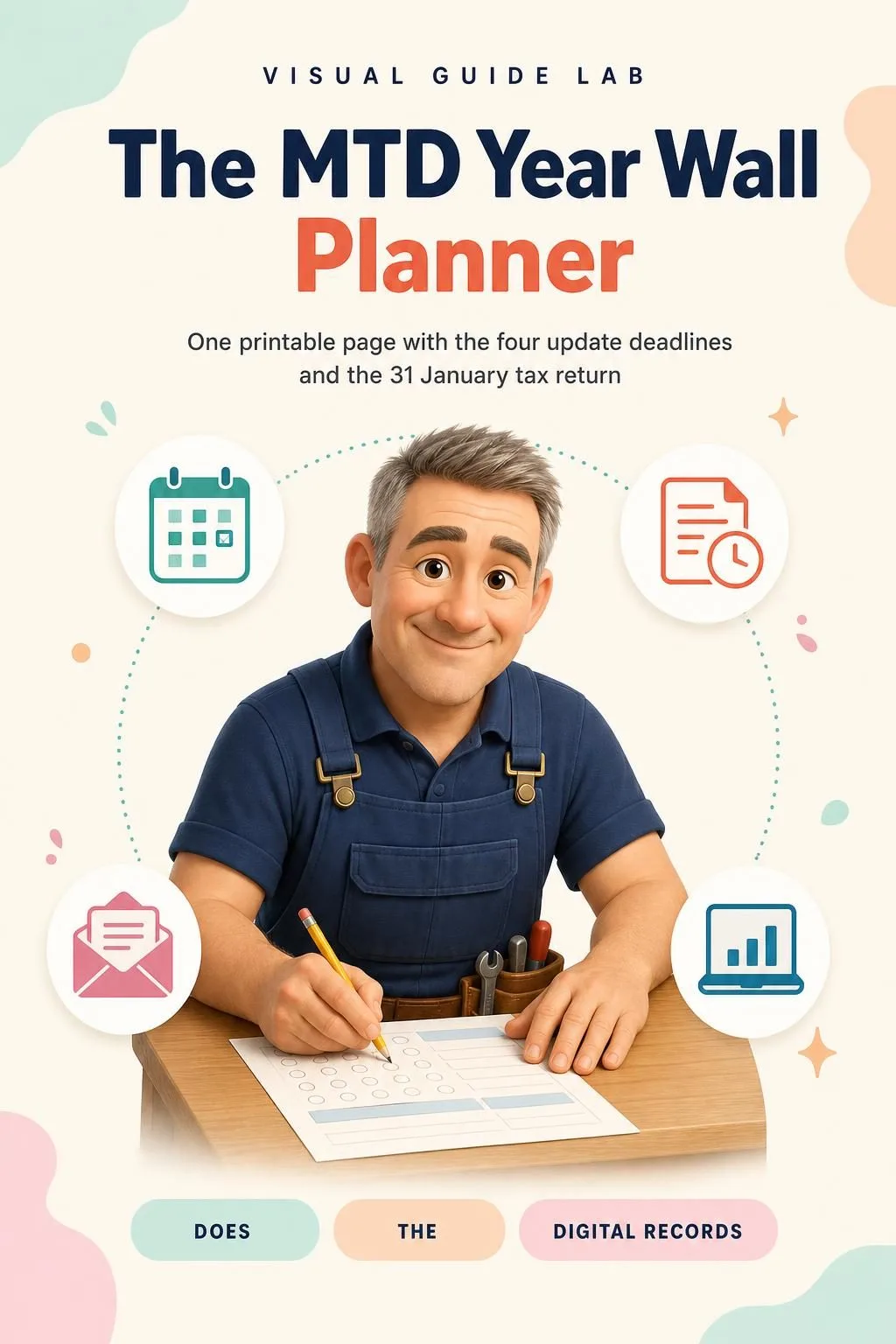
The MTD Year Wall Planner

BONUS 1: «The MTD Year Wall Planner»

Value on its own: US$ 17.90

One printable page with the four update deadlines and the 31 January tax return date on a single year wheel, to pin up and check at a glance.

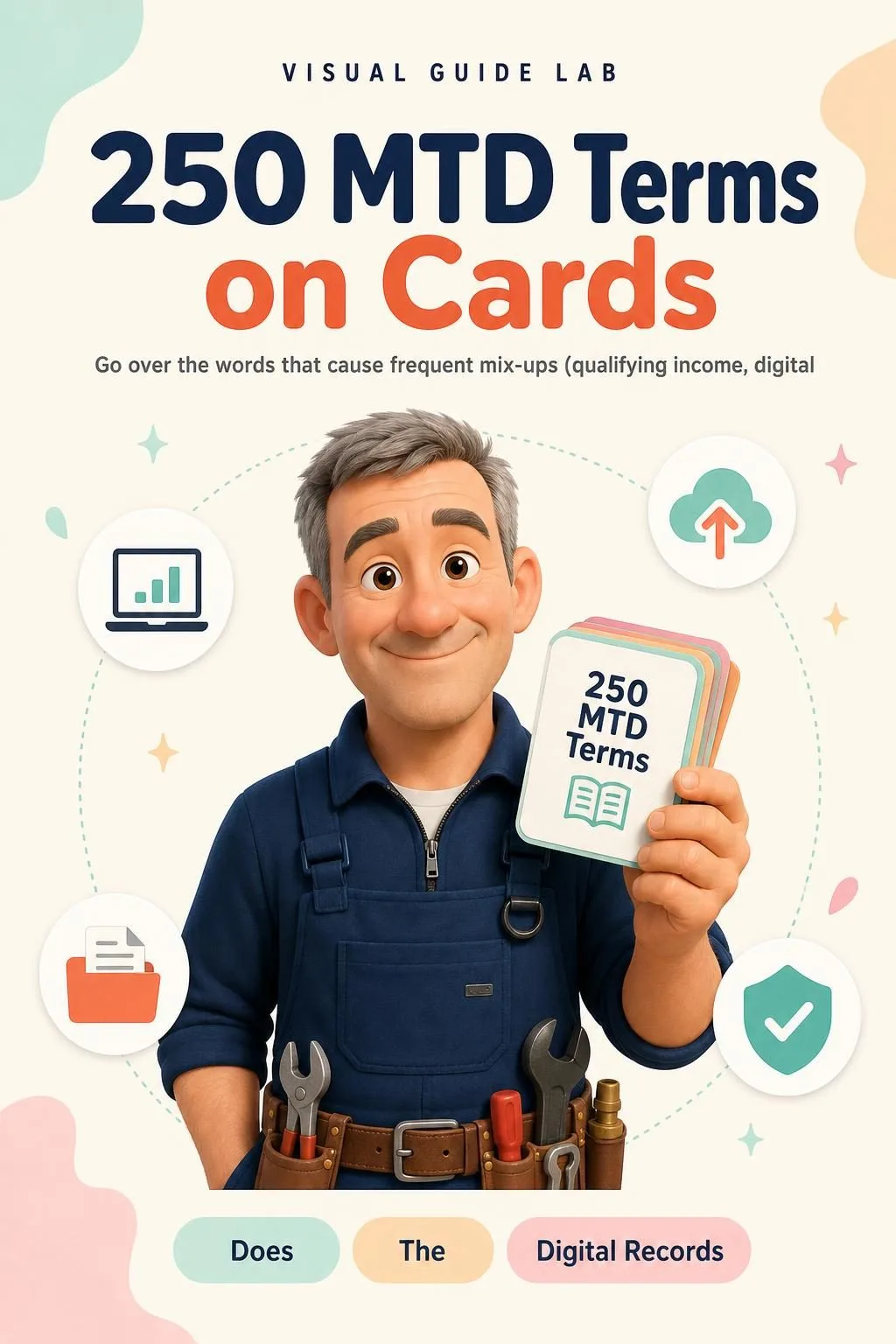
250 MTD Terms on Cards

BONUS 2: «250 MTD Terms on Cards»

Value on its own: US$ 14.90

Go over the words that cause frequent mix-ups (qualifying income, digital links, bridging software, update period): the term on the front, a one-line definition and a tiny sketch on the back.

The Making Tax Digital Sketchbook + 2 Free Books

  • The Making Tax Digital Sketchbook: 65 drawn pagesUS$ 87
  • BONUS 1: The MTD Year Wall PlannerUS$ 17.90
  • BONUS 2: 250 MTD Terms on CardsUS$ 14.90
  • High-resolution PDF to printIncluded
Total value US$ 119.80
YOUR PRICE:
US$ 37
You save US$ 82.80
YES, I WANT THE MAKING TAX DIGITAL SKETCHBOOK FOR US$ 37

📄 This is a digital PDF book sent to your email: nothing is printed or shipped.

Secure purchaseEncrypted payment30-day guarantee

PDF by email: The Making Tax Digital Sketchbook reaches your inbox as a PDF, and the two free books come by email too. One-time payment, no installments or hidden costs.

Is This Book for You?

Your start date is coming

Your start date is coming

In from April 2027 or April 2028? See whether you're in, which return decides it and what to gather, one page at a time, before you sign up.

You let property, alone or jointly

You let property, alone or jointly

The four income boxes, the expense categories and your share of a jointly let property, drawn so you know where each figure goes.

You're already in your first MTD year

You're already in your first MTD year

The year wheel, the four update deadlines and the checklists to keep to hand, print and pin up next to the wall planner.

To Sum Up: Here Is What You Get

US$ 119.80US$ 37
YES, I WANT THE MAKING TAX DIGITAL SKETCHBOOK FOR US$ 37

📄 This is a digital PDF book sent to your email: nothing is printed or shipped.

30DAYS
GUARANTEE

30-Day Guarantee

30-day guarantee: tell us what didn't work and we'll refund 100%.

You have 30 days to try The Making Tax Digital Sketchbook and the two free books. If it doesn't work for you, email us, tell us what didn't work and we'll refund 100% of what you paid. One-off payment, no subscriptions and no surprises.

Frequently Asked Questions

How do I receive it?

You receive The Making Tax Digital Sketchbook as a high-resolution PDF by email, at the address you enter when you pay, to read on your phone or print. The two free books, The MTD Year Wall Planner and 250 MTD Terms on Cards, come by email too.

Is it a monthly or a one-off payment?

A one-off payment of US$ 37. No instalments and no subscription.

Who is it for?

For UK sole traders and landlords getting ready for Making Tax Digital for Income Tax: tradespeople, landlords with one or more properties, joint owners and people with both trading and letting income, whether you're in from April 2026, 2027 or 2028. Have a look at the contents above to see the topics.

Is it up to date with the 2026 rules?

Yes. It's based on HMRC's guidance on GOV.UK for Making Tax Digital for Income Tax: who needs to use it, qualifying income, quarterly updates, digital records, penalties and exemptions. Everything was checked on 11 November 2026. Rules can change, so the last part of the book shows you where on GOV.UK to check.

Is it official HMRC material?

No. It's an independent drawn guide. We're not affiliated with HMRC or GOV.UK, it uses no official logos and it doesn't recommend any software.

Does it replace my accountant or tax advice?

No. It's an educational guide, not tax or financial advice, and it doesn't calculate any tax. It follows the same HMRC rules your accountant works with, so it helps you understand what they ask you for and talk to them with the basics clear. For your own situation, check GOV.UK or your accountant.

Are the worked cases real people or official examples?

No. The five cases (a plumber, a landlord with two flats, a joint owner, trading plus letting, and joining mid-year) use fictional people and were written for this book. They show only the qualifying-income check, the categories and the deadlines.

Can I print it?

Yes. It's a printable PDF: print the whole book or just the pages you need, and pin the wall planner up where you'll see it.

What if I don't like it?

You have 30 days: tell us what didn't work and we'll refund 100%.

One Last Thing Before You Decide...

You don't have to reread the same page hoping it sticks this time.

You don't have to memorise deadlines you can't picture.

And you certainly don't have to reach your start date without knowing where to begin.

There's a simpler way. And it's one click away. Now it's your turn.

One-time payment: US$ 37 · Guarantee: 30 days · PDF by email

YES, I WANT THE MAKING TAX DIGITAL SKETCHBOOK FOR US$ 37

📄 This is a digital PDF book sent to your email: nothing is printed or shipped.